Online Shopping Security 2026: 6 Essential Tips to Safeguard Your Information
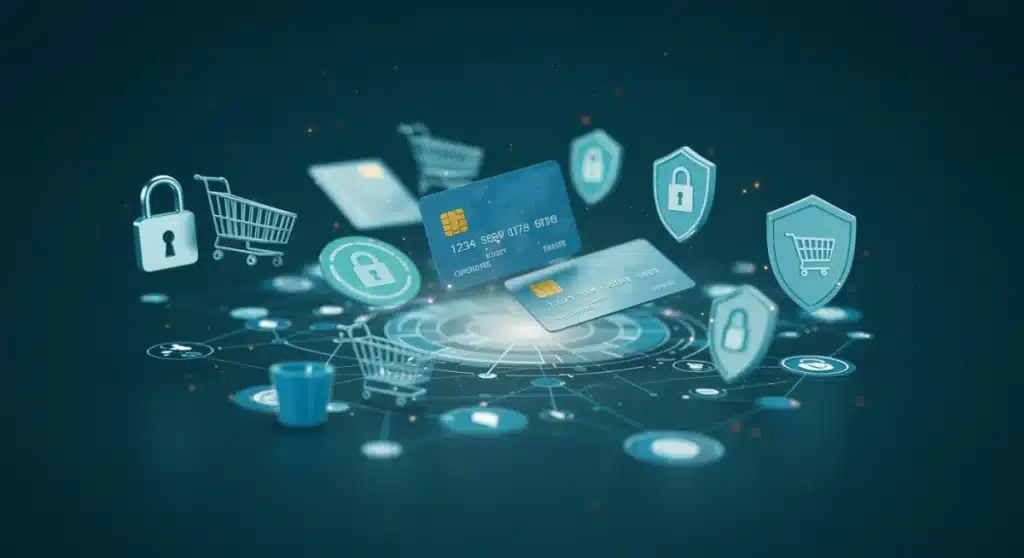
Safeguarding your personal and financial data is crucial in the evolving digital landscape, making online shopping security 2026 a top priority to prevent fraudulent transactions and ensure a safe experience.
As we navigate the dynamic landscape of digital commerce in 2026, the importance of robust online shopping security 2026 cannot be overstated. With technological advancements come increasingly sophisticated threats, making it more critical than ever for consumers to be proactive in protecting their personal and financial information. This guide provides six essential tips to help you safeguard your data and prevent fraudulent transactions, ensuring a secure and enjoyable online shopping experience this year.
Understanding the Evolving Threat Landscape
The digital world is constantly changing, and with it, the methods used by cybercriminals. In 2026, threats extend beyond simple phishing emails to include advanced AI-driven scams, deepfake fraud, and sophisticated malware designed to bypass traditional security measures. Recognizing these evolving dangers is the first step toward building a resilient defense against them.
Cybercriminals are now leveraging machine learning to craft highly personalized attacks, making it harder for consumers to distinguish legitimate communications from fraudulent ones. This shift demands a more informed and cautious approach to every online interaction, especially when making purchases.
AI-Driven Scams and Deepfake Fraud
AI-driven scams are becoming increasingly convincing, capable of mimicking legitimate websites and communications with near-perfect fidelity. Deepfake technology, while still emerging in consumer fraud, poses a significant risk by creating highly realistic audio and video impersonations. Consumers must be aware that what they see or hear online might not always be genuine.
- Verify sources: Always double-check URLs and sender email addresses, even if they appear legitimate.
- Look for inconsistencies: Pay attention to subtle errors in language, branding, or unusual requests.
- Stay informed: Keep up-to-date with the latest scam tactics reported by cybersecurity experts and consumer news outlets.
Sophisticated Malware and Ransomware
Malware and ransomware continue to evolve, targeting vulnerabilities in software and operating systems. These threats can compromise your device, steal sensitive data, or lock you out of your files until a ransom is paid. Protecting your devices is fundamental to securing your online shopping activities.
In conclusion, the threat landscape in 2026 is complex and dynamic. A proactive and informed approach, coupled with robust security practices, is essential for protecting your digital footprint and ensuring safe online shopping.
Tip 1: Strengthen Your Passwords and Embrace Multi-Factor Authentication
In the digital age, your passwords are the primary keys to your online identity. Weak or reused passwords are an open invitation for cybercriminals. In 2026, simply having a complex password is no longer enough; combining it with multi-factor authentication (MFA) creates a formidable barrier against unauthorized access.
Many online services now offer MFA, which typically involves a second verification step, such as a code sent to your phone or a biometric scan. This extra layer of security significantly reduces the risk of your accounts being compromised, even if your password is stolen.
Creating Strong, Unique Passwords
A strong password is long, complex, and unique. It should ideally be a random string of characters, numbers, and symbols, difficult for anyone to guess or for algorithms to crack. Avoid using easily discoverable information like birth dates, pet names, or common phrases.
- Use a password manager: These tools securely generate and store unique, strong passwords for all your accounts, so you only need to remember one master password.
- Aim for length: Passwords should be at least 12-16 characters long.
- Mix character types: Include a combination of uppercase and lowercase letters, numbers, and special symbols.
Implementing Multi-Factor Authentication (MFA)
MFA adds an essential layer of security by requiring two or more verification methods to access an account. This could be something you know (password), something you have (phone, security token), or something you are (fingerprint, facial scan).
Always enable MFA wherever it’s offered, especially on financial accounts, email, and primary shopping platforms. Even if a cybercriminal obtains your password, they won’t be able to access your account without this second factor. This practice is crucial for bolstering your online shopping security 2026.
By adopting strong password practices and consistently using MFA, you significantly reduce your vulnerability to account takeovers, making your online shopping experience much safer.
Tip 2: Be Vigilant About Phishing and Social Engineering Attacks
Phishing and social engineering remain among the most prevalent and effective tactics used by cybercriminals. These attacks prey on human psychology, tricking individuals into revealing sensitive information or clicking on malicious links. In 2026, these attacks are more sophisticated than ever, often employing personalized details to appear highly credible.
It’s crucial to cultivate a healthy skepticism toward unsolicited communications, whether they arrive via email, text message, or social media. Always question the sender’s authenticity and the urgency of their requests.
Recognizing Phishing Attempts
Phishing emails and messages often impersonate legitimate companies, banks, or government agencies. They might contain urgent warnings, offers that seem too good to be true, or requests to verify account information. Learning to identify the tell-tale signs can save you from becoming a victim.
- Check sender details: Scrutinize the email address or phone number for subtle misspellings or unusual domains.
- Hover over links: Before clicking, hover your mouse over any links to see the actual URL. Be wary of shortened links.
- Examine grammar and spelling: Professional organizations rarely send messages with numerous grammatical errors or typos.
- Beware of urgency: Phishing attempts often create a sense of urgency to pressure you into acting without thinking.
Guarding Against Social Engineering
Social engineering involves psychological manipulation to trick you into performing actions or divulging confidential information. This can take many forms, including phone calls from fake tech support, romantic scams, or even seemingly innocent conversations designed to extract personal details.
Never share personal or financial information with unverified sources. If in doubt, contact the alleged organization directly using their official contact details, not those provided in the suspicious communication. Your vigilance is a powerful tool in maintaining strong online shopping security 2026.
Staying alert and questioning suspicious communications are vital skills for protecting yourself from phishing and social engineering attacks in the digital world.
Tip 3: Use Secure Payment Methods and Monitor Your Accounts
Choosing the right payment method and diligently monitoring your financial accounts are fundamental pillars of secure online shopping. While convenience is a factor, prioritizing security can prevent significant financial losses and identity theft. In 2026, various secure payment options are available, each offering different levels of protection.
The key is to use payment methods that offer strong fraud protection and to regularly review your statements for any unauthorized activity. Early detection of suspicious transactions can prevent further damage.

Opting for Secure Payment Gateways
When shopping online, always look for secure payment gateways. These are typically indicated by a padlock icon in the browser’s address bar and a URL that starts with ‘https://’ (the ‘s’ stands for secure). Using credit cards instead of debit cards for online purchases often provides better fraud protection, as credit card companies typically have more robust policies for disputing fraudulent charges.
- Credit cards: Offer strong fraud protection and chargeback rights.
- PayPal or similar services: Act as intermediaries, keeping your financial details private from merchants.
- Virtual card numbers: Some banks offer temporary, single-use card numbers for added security.
Regular Account Monitoring
Proactive monitoring of your bank and credit card statements is a simple yet effective way to detect fraudulent activity quickly. Many financial institutions offer real-time alerts for transactions, which can be invaluable.
Set up notifications for all transactions, especially those above a certain amount. Review your statements monthly, or even weekly, to catch any unfamiliar charges. The sooner you report unauthorized transactions, the better your chances of resolving them without financial loss. This diligent practice is critical for maintaining robust online shopping security 2026.
By combining secure payment methods with vigilant account monitoring, you significantly reduce your risk of financial fraud and enhance your overall online shopping safety.
Tip 4: Keep Your Software and Devices Updated
Outdated software and operating systems are prime targets for cybercriminals. Each update released by software developers often includes patches for newly discovered security vulnerabilities. Neglecting these updates leaves your devices exposed to potential exploits, compromising your personal data and making you vulnerable during online transactions.
In 2026, with the rapid pace of technological change, regular updates are not just recommended, they are essential for maintaining a strong cybersecurity posture across all your devices.
The Importance of Software Updates
Software updates are more than just new features or bug fixes; they are critical security enhancements. Exploits often target known vulnerabilities that have already been patched in newer versions. Running outdated software is akin to leaving a door unlocked in a secure house.
- Operating systems: Ensure your computer and smartphone operating systems (e.g., Windows, macOS, Android, iOS) are always up to date.
- Web browsers: Keep your browsers (Chrome, Firefox, Edge, Safari) updated, as they are your primary interface with the internet.
- Antivirus and anti-malware: These programs are only effective if their definitions and software are current.
- Shopping apps: Ensure any e-commerce apps on your mobile devices are updated to their latest versions.
Securing Your Devices
Beyond software, your physical devices also need protection. Use strong passwords or biometric authentication to unlock your devices. Be cautious about connecting to public Wi-Fi networks, as they can be insecure and provide opportunities for data interception.
Always use a reputable VPN when accessing sensitive information, like banking or shopping sites, on public networks. A VPN encrypts your internet connection, making it much harder for cybercriminals to snoop on your data. Consistent device and software maintenance is a cornerstone of effective online shopping security 2026.
Regularly updating your software and securing your devices creates a more resilient environment for your online activities, significantly reducing the risk of security breaches.
Tip 5: Understand Privacy Policies and Data Practices
In an era where data is a valuable commodity, understanding how online retailers collect, use, and protect your personal information is paramount. Many consumers blindly agree to terms and conditions without fully grasping the implications for their privacy. In 2026, it’s more important than ever to be an informed consumer regarding your data.
Taking the time to review privacy policies, even briefly, can provide valuable insights into a company’s data practices and help you make more informed decisions about where you shop.
Reading Privacy Policies
While often lengthy and filled with legal jargon, privacy policies outline what data a company collects, why they collect it, how it’s used, and whether it’s shared with third parties. Look for sections on data retention, security measures, and your rights regarding your data.
- Key information to look for: What type of personal data is collected? How is it used? Is it sold or shared with third parties? How long is it stored?
- Opt-out options: Many policies include ways to opt out of certain data collection or sharing practices.
- Data security measures: Look for assurances about how your data is protected from breaches.
Exercising Your Data Rights
Many jurisdictions, including parts of the US, have introduced stricter data privacy regulations, granting consumers more control over their personal information. These rights often include the ability to access, correct, or delete your data held by companies.
Familiarize yourself with your consumer data rights and don’t hesitate to exercise them. Requesting companies to delete your data or limit its use can significantly reduce your digital footprint and enhance your overall privacy. Being proactive about your data rights is a critical component of robust online shopping security 2026.
By understanding and engaging with privacy policies and exercising your data rights, you can better control your personal information and reduce your exposure to potential risks.
Tip 6: Be Wary of Public Wi-Fi and Use a VPN for Transactions
Public Wi-Fi networks, while convenient, are inherently less secure than private networks. The open nature of these connections makes it easier for cybercriminals to intercept your data, including sensitive information exchanged during online shopping. In 2026, relying on public Wi-Fi for financial transactions without extra precautions is a significant risk.
Protecting your internet connection, especially when dealing with personal and financial data, is a non-negotiable aspect of secure online shopping.
The Dangers of Public Wi-Fi
Public Wi-Fi networks often lack strong encryption, making your data vulnerable to various attacks. Malicious actors can set up fake Wi-Fi hotspots to trick users into connecting, or they can use packet sniffers to capture unencrypted data transmitted over legitimate public networks.
- Man-in-the-middle attacks: Attackers can intercept communications between your device and the website you’re visiting.
- Malware distribution: Unsecured networks can be used to distribute malware to connected devices.
- Data theft: Personal and financial details can be easily stolen if not properly encrypted.
The Essential Role of a VPN
A Virtual Private Network (VPN) creates a secure, encrypted tunnel for your internet traffic, even on public Wi-Fi. This encryption makes it extremely difficult for anyone to intercept or read your data, providing a crucial layer of security when you’re making online purchases or accessing sensitive accounts.
Always use a reputable VPN when connecting to public Wi-Fi, especially if you plan to engage in online shopping, banking, or any activity that involves transmitting personal information. A VPN is an indispensable tool for safeguarding your online shopping security 2026 in an increasingly connected world.
By avoiding transactions on unsecured public Wi-Fi or, better yet, always using a VPN, you can significantly enhance the security of your online shopping activities.
| Key Security Tip | Brief Description |
|---|---|
| Strong Passwords & MFA | Use unique, complex passwords and enable multi-factor authentication for all accounts. |
| Phishing Vigilance | Be skeptical of unsolicited communications and verify sender authenticity to avoid scams. |
| Secure Payments & Monitoring | Utilize credit cards or secure payment services and regularly check bank statements for fraud. |
| Software Updates & VPN | Keep all software updated and use a VPN, especially on public Wi-Fi, for transaction security. |
Frequently Asked Questions About Online Shopping Security
Even with advanced security measures like multi-factor authentication, strong, unique passwords remain the first line of defense. They prevent easy access if other security layers fail and deter brute-force attacks by cybercriminals trying to guess common or simple combinations.
Sophisticated phishing attempts often mimic legitimate sources perfectly. Look for subtle misspellings in URLs or email addresses, unusual requests for personal data, or an urgent tone. Always verify the sender through an independent channel before clicking links or providing information.
Yes, using a debit card for online purchases carries higher risk than a credit card. If your debit card details are compromised, funds are directly removed from your bank account, which can be harder and slower to recover compared to a fraudulent credit card charge.
Shopping on public Wi-Fi without a VPN exposes your data to interception. Cybercriminals can easily set up fake hotspots or use tools to capture unencrypted information, potentially stealing your login credentials, credit card numbers, and other sensitive personal data.
It’s advisable to review your financial statements weekly, or at least monthly, for any unauthorized transactions. Many banks offer real-time transaction alerts, which can help you detect and report suspicious activity immediately, minimizing potential damage.
Conclusion
In 2026, the landscape of online shopping demands a heightened sense of awareness and proactive security measures from consumers. The six essential tips discussed—strengthening passwords, embracing MFA, vigilance against phishing, using secure payment methods, keeping software updated, understanding privacy policies, and exercising caution on public Wi-Fi—form a comprehensive defense strategy. By integrating these practices into your daily online habits, you can significantly reduce your risk of fraud and data breaches, ensuring a safer and more confident online shopping experience in the years to come. Staying informed and proactive is your best protection in the evolving digital marketplace.